
Computer Literacy for Preschool Teachers
A practical short course that helps preschool and ECD staff feel more confident with Windows, files, email, PDFs, Microsoft Office and Canva Free — using everyday preschool examples rather than technical jargon.
- 24 illustrated lessons
- Approx. 6 hours of guided learning
- Word, Excel and PowerPoint practice
- Downloads, uploads, USB and PDFs
- Online safety and email skills
- Canva Free introduction
Computer skills for real preschool work
This is not a technical IT course. It focuses on the everyday digital tasks preschool teachers, ECD practitioners and administrators actually need.
Work confidently in Windows
Understand the desktop, taskbar, File Explorer, windows, shortcuts, screenshots and common computer actions.
Keep files organised
Create sensible folders, use clear filenames, save correctly, work with USB drives and find downloaded files again.
Use PDFs and printing properly
Create PDFs, use Microsoft Print to PDF, merge practice PDFs and check documents before printing or sharing.
Email and online safety
Send attachments, write more professional email, recognise phishing warning signs and use safer password habits.
Microsoft Office essentials
Create useful preschool documents in Word, registers and calculations in Excel, and simple presentations in PowerPoint.
A first look at Canva
Learn how Canva Free can be used to create a simple preschool notice or visual communication piece.
See the practical skills you will learn
Clear visual examples help learners recognise the same tools, menus and workflows when they practise on their own computer.
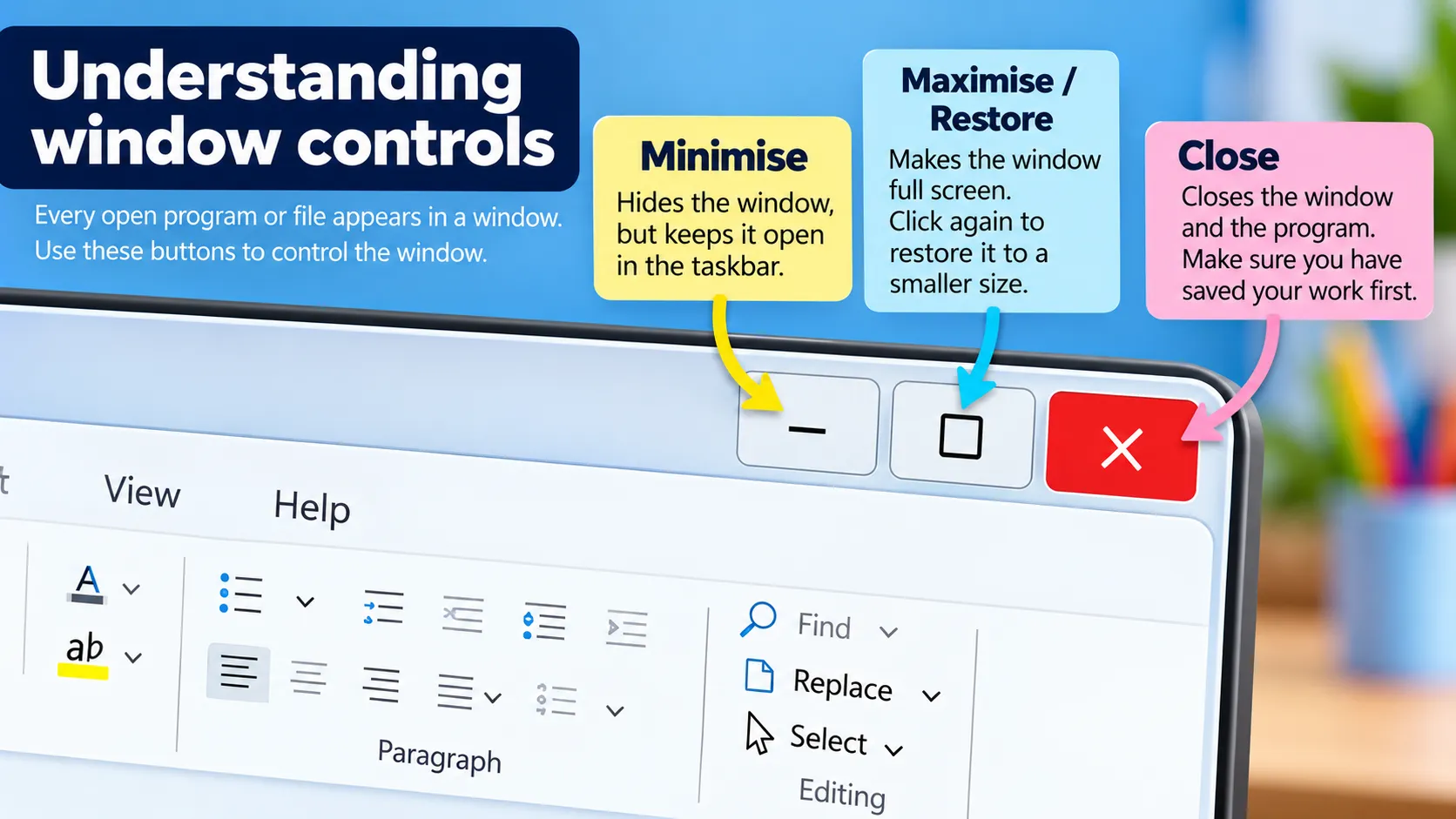
Work confidently in Windows
Learn the everyday controls and actions that make moving between tasks easier.
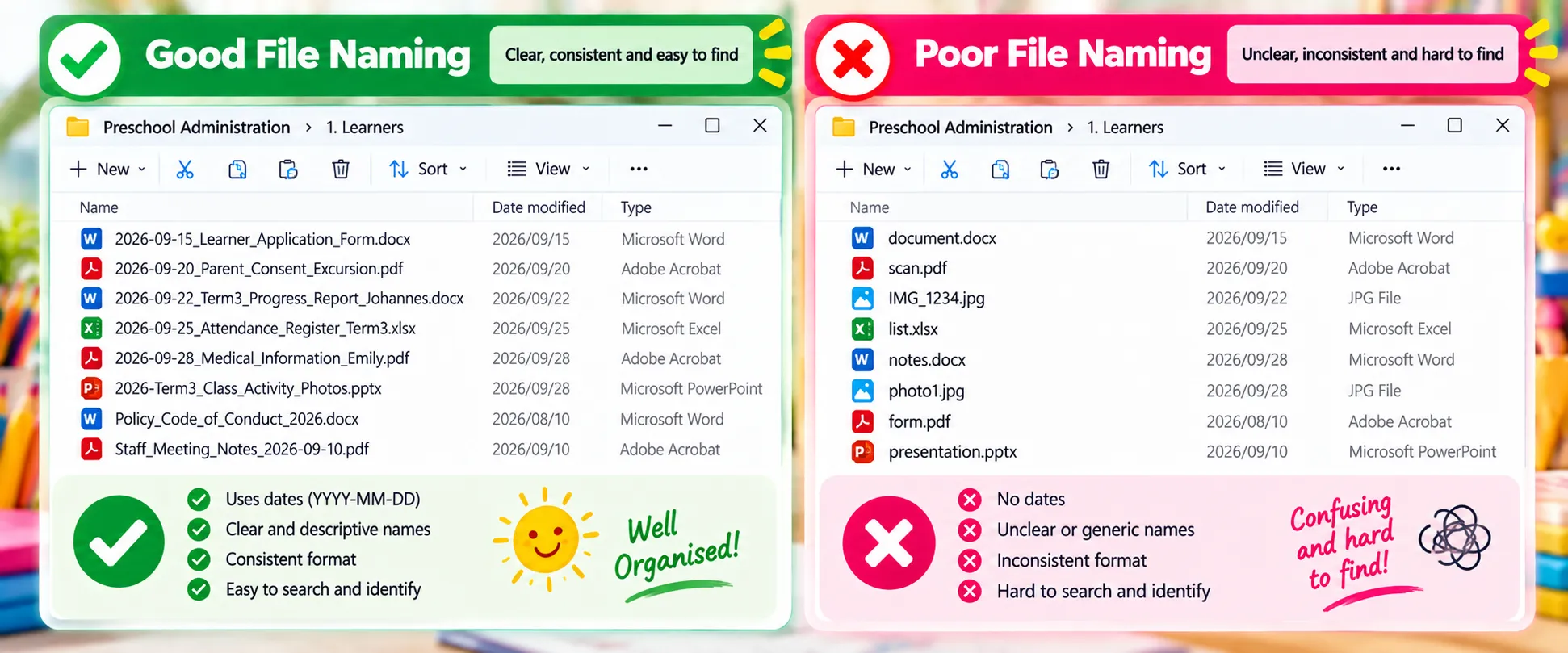
Keep preschool files organised
Use clear filenames and simple systems so important documents are easy to find again.
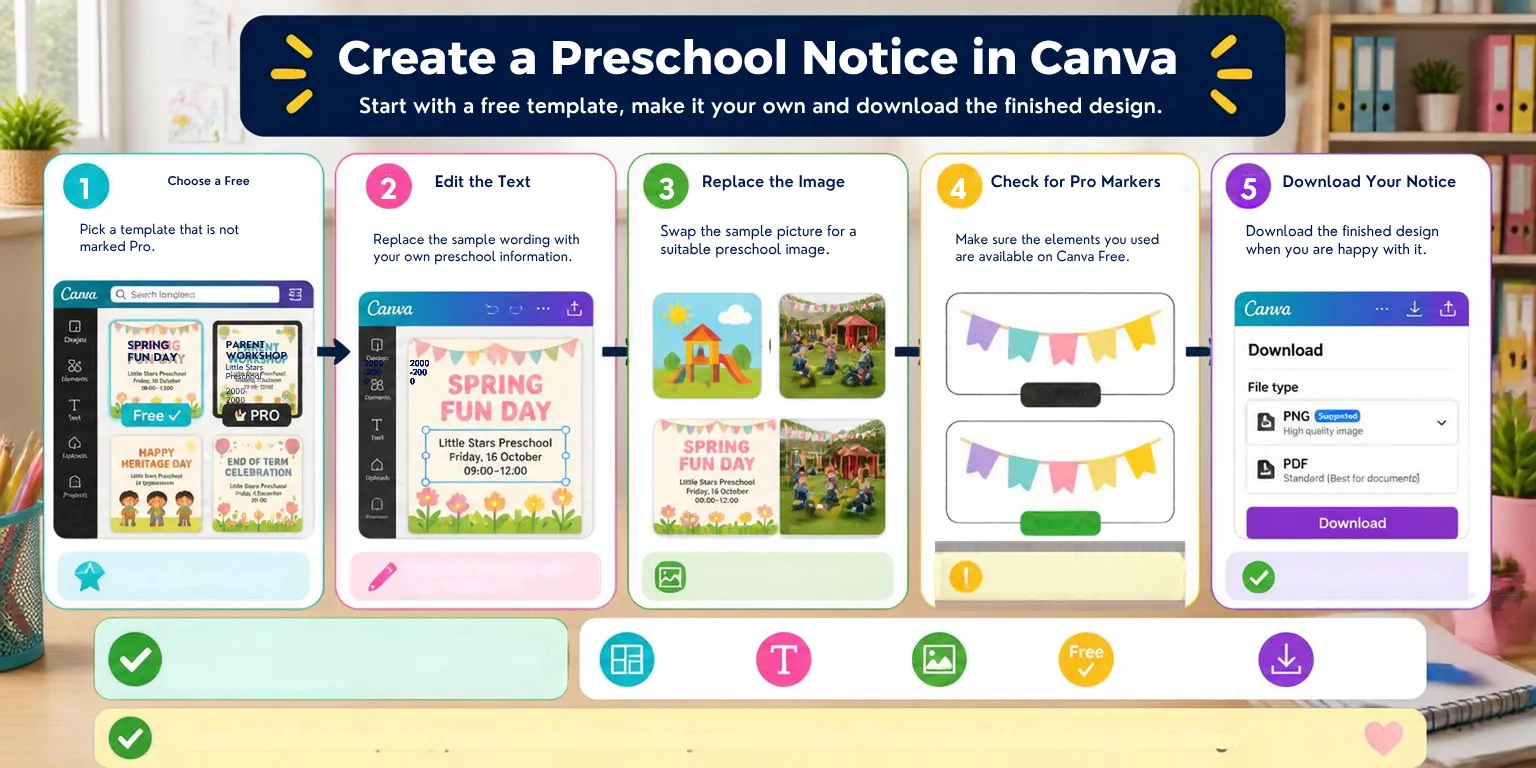
Create with Canva Free
Finish the course with a friendly introduction to creating simple preschool visuals in Canva.
What the course covers
Seven practical modules take learners from everyday Windows confidence through to Word, Excel, PowerPoint and Canva.
Working Confidently on a Windows Computer
Workspace, mouse, keyboard, shortcuts, copy and paste, screenshots.
Files, Folders, USB Drives, PDFs and Printing
Organisation, saving, downloads, uploads, USB, PDFs and printing.
Internet, Email and Staying Safe Online
Searching, attachments, phishing, passwords and safer online habits.
Microsoft Word for Preschool Work
Documents, layout, tables, forms, saving and sharing.
Microsoft Excel for Preschool Administration
Registers, basic calculations, sorting, filtering and printing.
Microsoft PowerPoint
Simple presentations, images, design and clear communication.
Canva and Bringing Skills Together
An introductory Canva Free lesson for simple preschool designs.
Who is this course for?
Ideal for people who already know the very basics of using a computer, but want to work faster, more confidently and more professionally.
- Preschool and nursery-school teachers
- ECD practitioners and teaching assistants
- Preschool administrators and office staff
- Centre managers who want stronger everyday digital skills
- Staff who feel uncertain with files, Office programs, email or PDFs
Built around practical activities
Learners practise on their own Windows computer while working through realistic preschool tasks.
- Create and organise folders
- Save different versions of a document
- Work with course practice PDFs
- Create a preschool Word document
- Build an attendance register in Excel
- Create a simple PowerPoint presentation
- Complete a Canva Free activity
Frequently asked questions
Do I need advanced computer skills before starting?
No. The course is designed for learners with only a basic understanding of computers. The focus is practical, step-by-step confidence building.
Which computer system is used in the lessons?
Course demonstrations are mainly based on Windows 11 and desktop versions of Microsoft Office. Individual computers may look slightly different.
Does the course include Microsoft Word, Excel and PowerPoint?
Yes. Dedicated modules cover practical preschool uses of Word, Excel and PowerPoint, with activities learners can complete on their own computer.
Is Canva included?
Yes. The final module includes an introductory lesson on Canva Free for creating a simple preschool design. Advanced Canva training is outside the scope of this short course.
How is the course assessed?
The course includes a 30-question final quiz.
Build the computer confidence you use every day.
Learn practical digital skills for preschool administration, communication and classroom work — one clear lesson at a time.

